
LUCKYTOWN PLUS Recommend Friends - LUCKYTOWN Simple Steps to Invite and Share
1. LUCKYTOWN PLUS - LUCKYTOWN How to Recommend Friends: Step-by-Step Guide

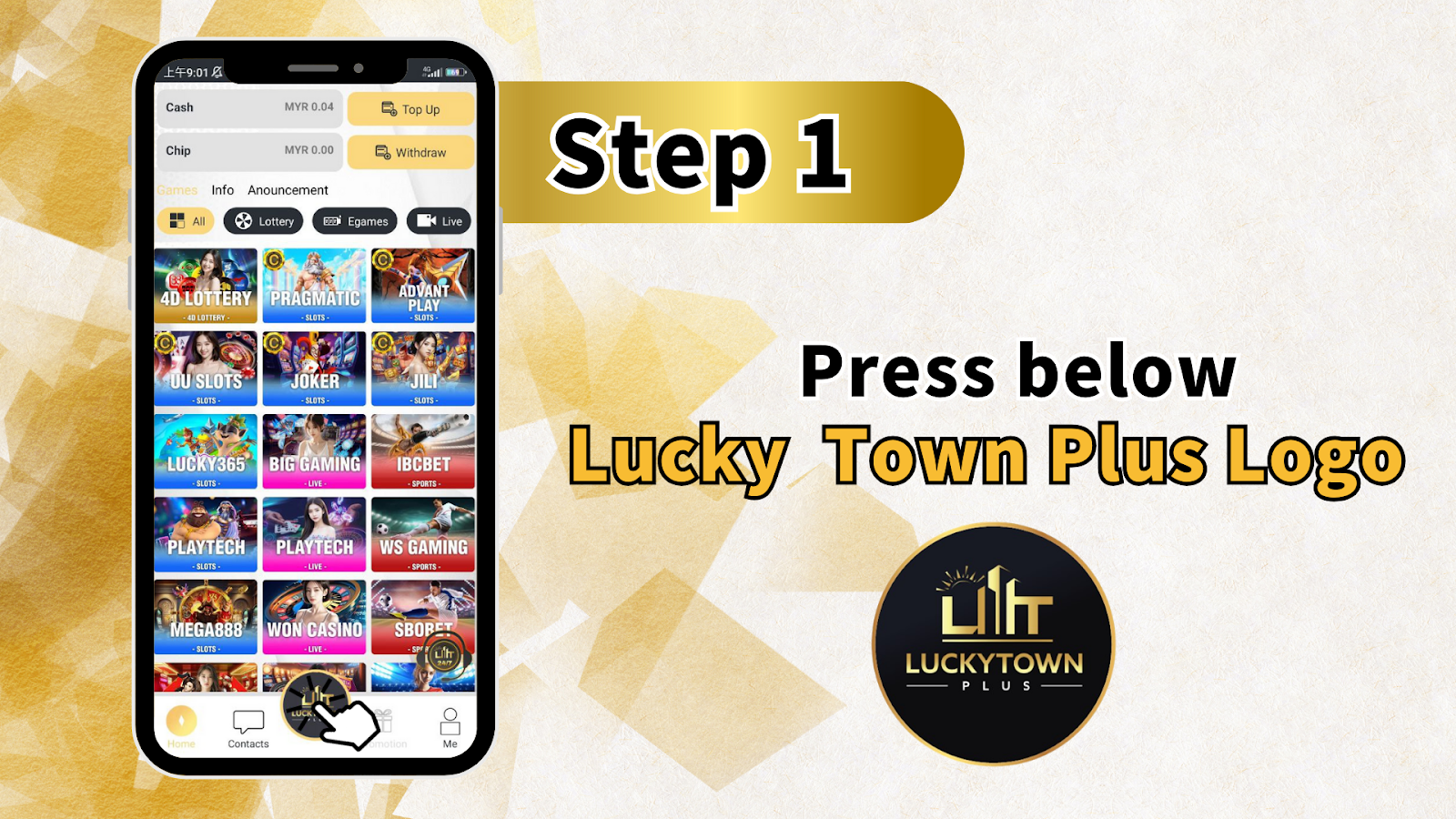
Step 1: Press the Lucky Town Plus Logo
Begin by locating and pressing the LUCKYTOWN PLUS logo within the app or platform interface. This action will direct you to the referral section where you can access your unique invitation options. The logo is prominently displayed for easy access.
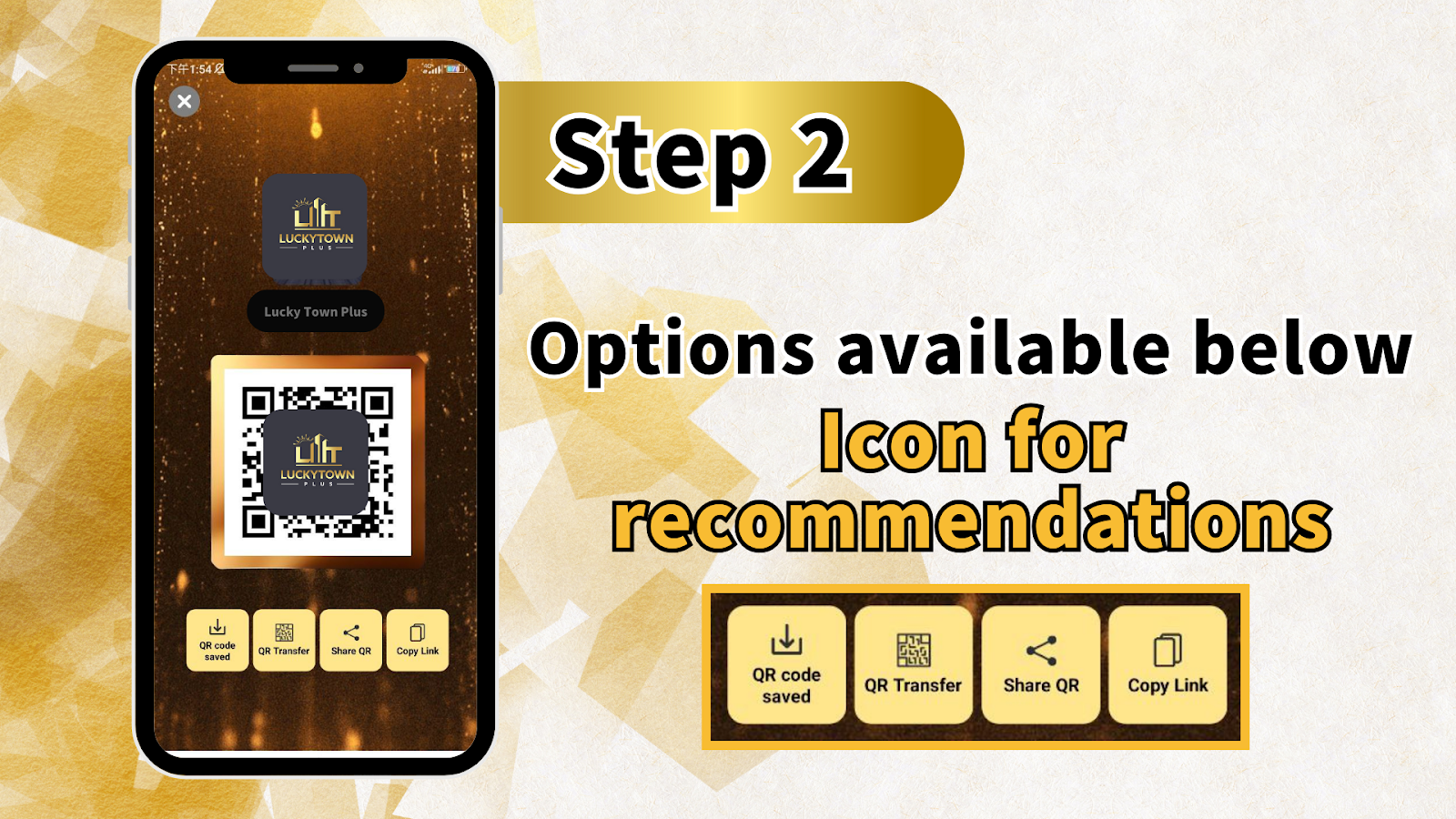
Step 2: Access Your Referral Options
After pressing the logo, you will be presented with the LUCKYTOWN PLUS referral interface. Here you will see your unique QR code along with several sharing options. This screen displays your personalized referral information ready to be shared with friends.
2. LUCKYTOWN PLUS - LUCKYTOWN Referral Options Available
Option 1: Save QR Code for Promotion
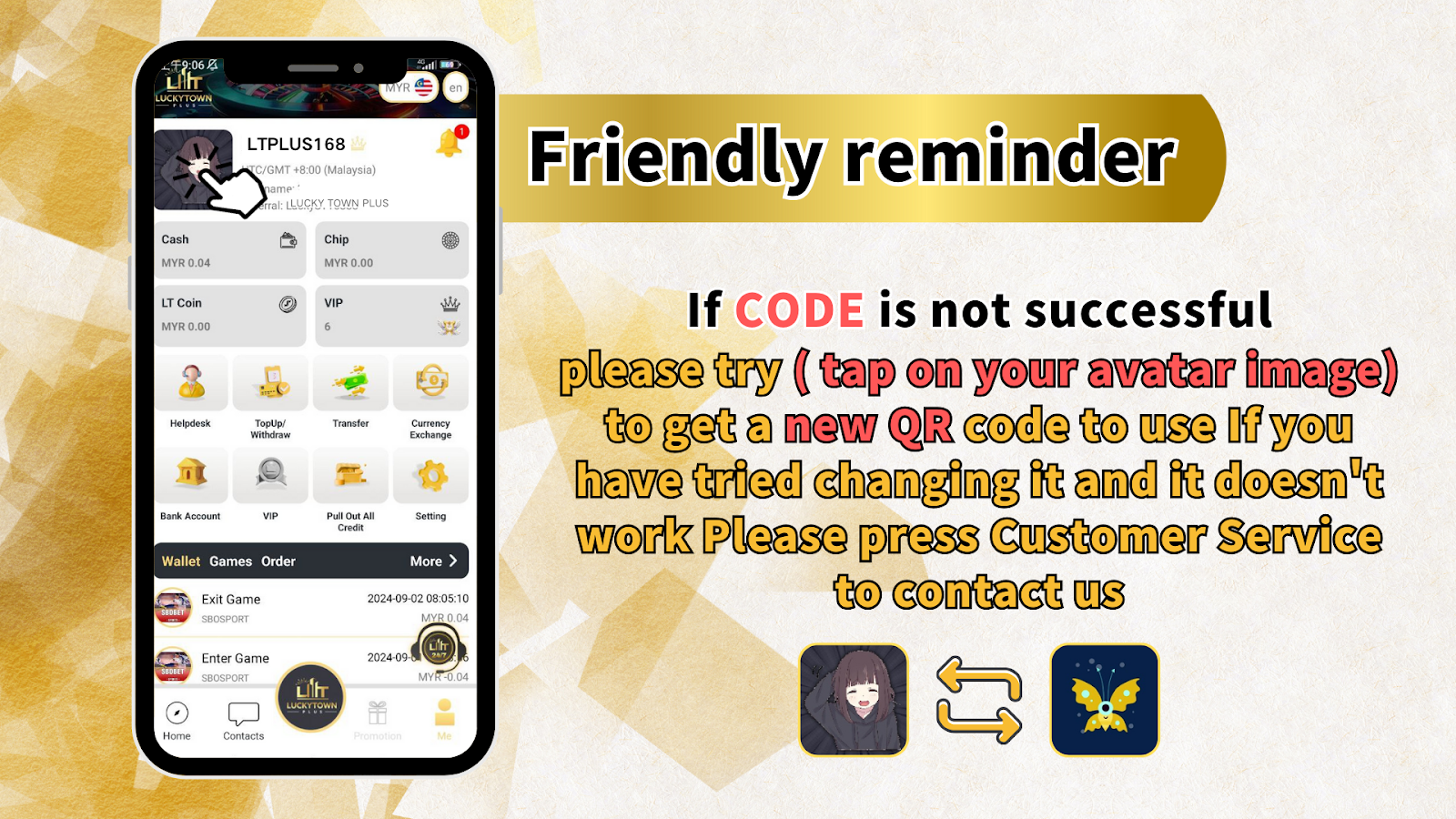
Select the option to save your unique QR code. This allows you to store the QR code image on your device, which you can later share through messaging apps, social media, or print for offline promotion. The QR code contains your referral information and directs new users to the correct registration page.
Option 2: Transfer (Scan Code to Transfer Money)
Use the Transfer option to scan another player's QR code for fund transfers between accounts. This feature is useful for peer-to-peer transactions within the LUCKYTOWN PLUS community. Simply scan the code to initiate a secure transfer to another member's account.
Option 3: Share QR Code
Select "Share QR Code" to instantly send your referral QR code to other apps such as WhatsApp, Telegram, Facebook, or Messenger. This direct sharing method makes it easy to invite friends with just a few taps. Your friends can scan the QR code to register and join LUCKYTOWN PLUS.
Option 4: Copy Link
Choose "Copy Link" to copy your unique referral URL to your device's clipboard. You can then paste this link into any messaging app, email, or social media post. When friends click the link, they will be directed to the LUCKYTOWN PLUS registration page with your referral automatically applied.
3. LUCKYTOWN PLUS - LUCKYTOWN Troubleshooting: If Code Is Not Successful
Try Refreshing Your QR Code
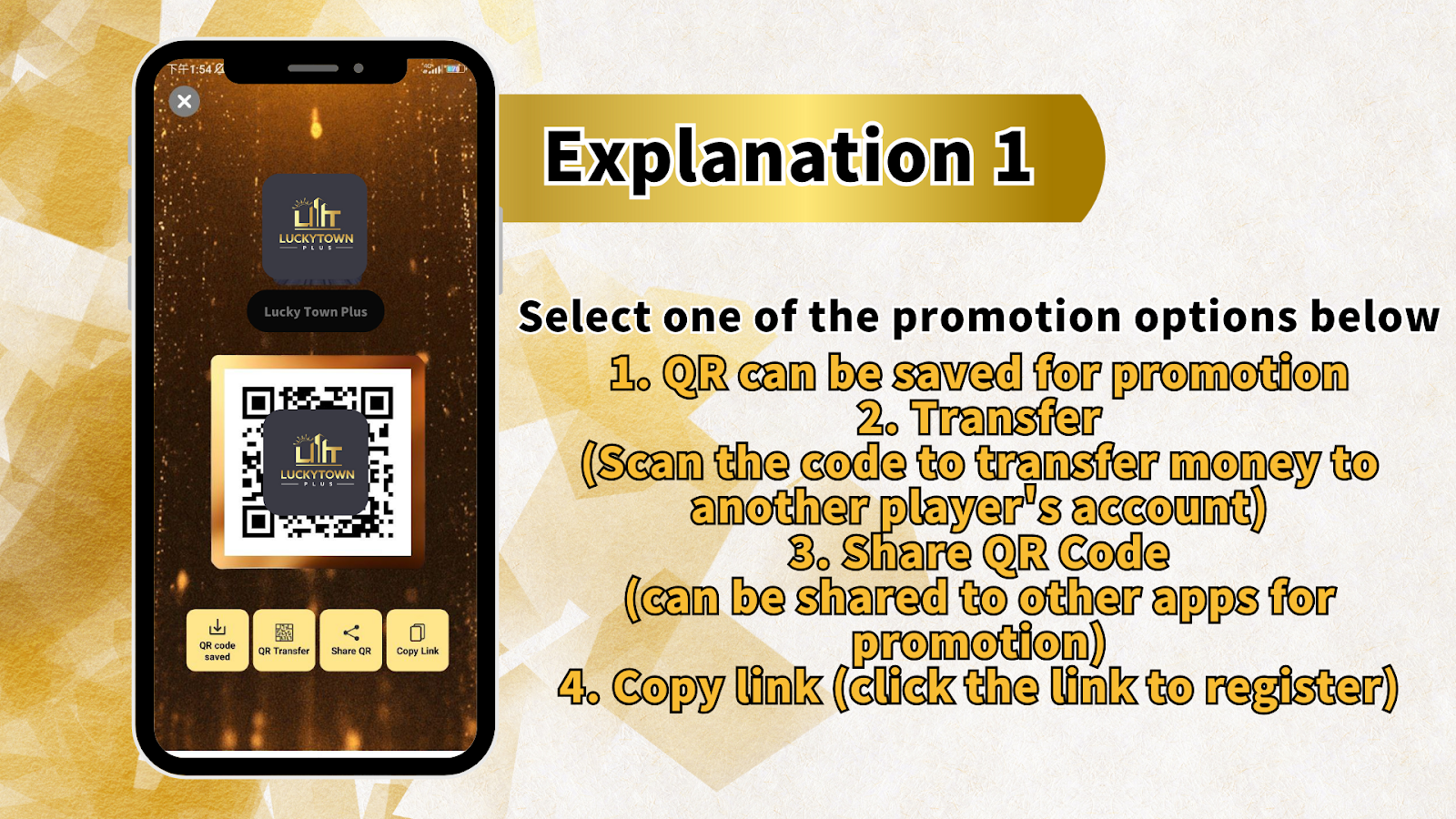
If your referral code or QR code is not working successfully, try tapping on your avatar image to generate a new QR code. This action refreshes your referral code and provides a fresh QR code that you can use for sharing. Sometimes a new code resolves any technical issues with the previous one.
Contact Customer Service for Assistance
If you have tried refreshing your QR code and the issue persists, please press "Customer Service" to contact LUCKYTOWN PLUS support. Our support team is available to help resolve any referral-related issues and ensure your invitation process works smoothly.
4. LUCKYTOWN PLUS - LUCKYTOWN Frequently Asked Questions About Recommend Friends
How Do I Find My Referral QR Code?
Press the LUCKYTOWN PLUS logo in the app to access your referral section. Your unique QR code will be displayed along with sharing options including Save QR Code, Transfer, Share QR Code, and Copy Link.
Can I Share My Referral Link on Social Media?
Yes. You can copy your referral link and share it on any social media platform, messaging app, or email. When friends click the link, they will be directed to the LUCKYTOWN PLUS registration page with your referral code automatically applied.
What Happens When a Friend Uses My Referral Code?
When a new user registers using your referral QR code or link, they become part of your referral network. Depending on current promotions, you may be eligible for referral rewards. Check the promotions page for any active referral bonus offers.
What If My Friend Cannot Scan the QR Code?
If your friend cannot scan the QR code, use the "Copy Link" option instead and share the direct URL. The link works on any device and leads to the same registration page as the QR code.
Is There a Limit to How Many Friends I Can Refer?
LUCKYTOWN PLUS welcomes all referrals. There is no limit to the number of friends you can invite. Share your QR code or referral link widely to grow your network.
Start Recommending Friends on LUCKYTOWN PLUS Today
Follow the simple steps to share your unique QR code or referral link with friends. Use Save QR Code, Share QR Code, or Copy Link options to invite others to join LUCKYTOWN PLUS. If you experience any issues, refresh your code or contact customer support.
Start Sharing & Invite Friends